WhereFrom Plans Questions

Make the page match the design, without guessing.

WhereFrom is a Chrome extension that checks a page against its Figma design, element by element, and shows which API response each value came from. It is free. Pro adds the tools that turn a list of differences into fixes.

A page with the elements that differ from the design marked and numbered. A card on the store name shows its weight: 700 in the design, 600 on the page.

Try Pro for 14 days, then pick a plan

Pro is free for 14 days inside the extension, with no card and no account. Everything in the free column stays free.

Free

$0

For as long as you like

  • Click a value to see its API response and field
  • Search, page colors by source, captured responses
  • Screenshots, areas, videos and bug reports
  • The design check: score, differences, marks on the page, overlay
  • Your 3 latest saved checks
Add to Chrome

Pro monthly

$8a month

Cancel anytime

  • Everything in Free, and:
  • Compare on hover
  • Inspect the design’s CSS
  • Copy CSS fix
  • Screenshot reports for tickets
  • Re-check when the page changes
  • All your saved checks
Best value

Pro yearly

$60a year

$5 a month, 37% less than monthly

  • Everything in Free, and:
  • Compare on hover
  • Inspect the design’s CSS
  • Copy CSS fix
  • Screenshot reports for tickets
  • Re-check when the page changes
  • All your saved checks

Pro lifetime

$120once

Pay once, every update included

  • Everything in Free, and:
  • Compare on hover
  • Inspect the design’s CSS
  • Copy CSS fix
  • Screenshot reports for tickets
  • Re-check when the page changes
  • All your saved checks

Prices are in your currency where Paddle supports it, and tax is added at checkout where it applies. One key works on 3 computers.

What Pro does with the differences

The free check tells you what differs. Pro shows it where you point, writes the CSS, and makes the ticket.

Compare on hover

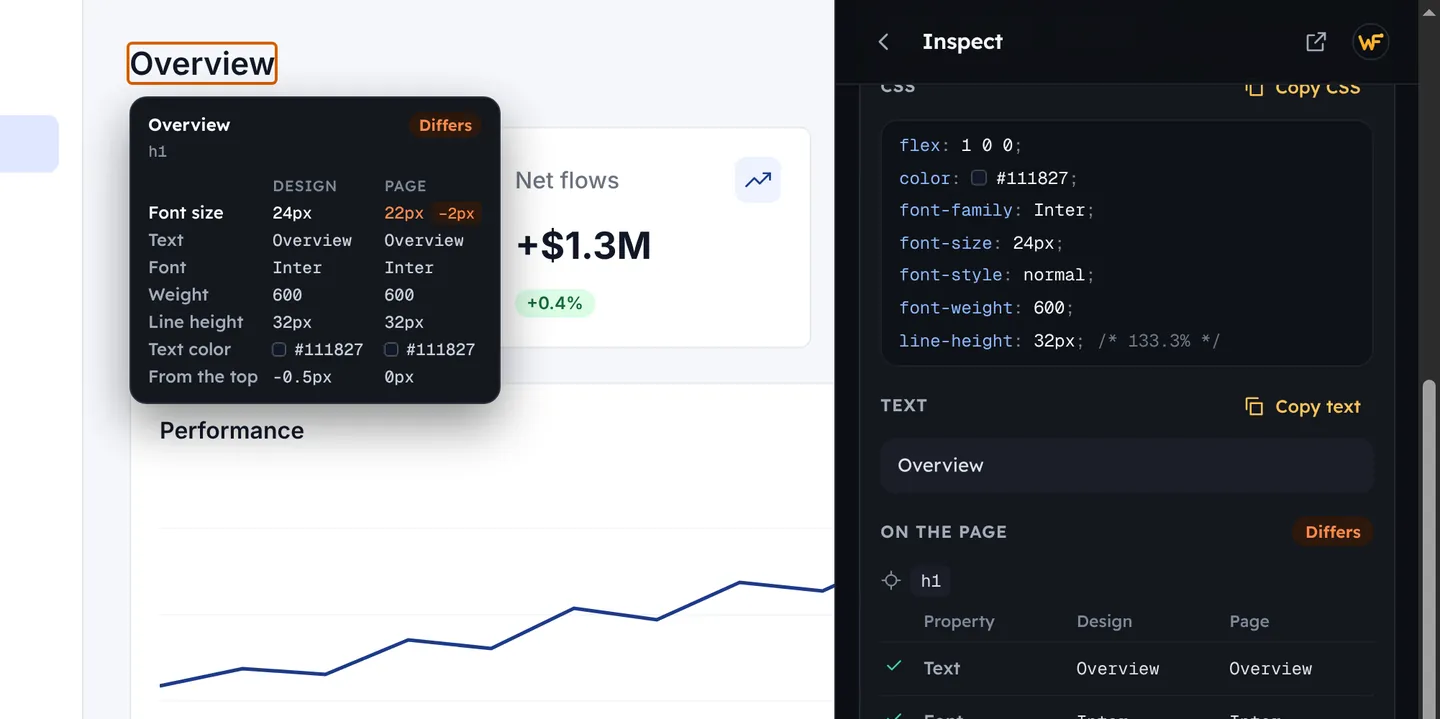
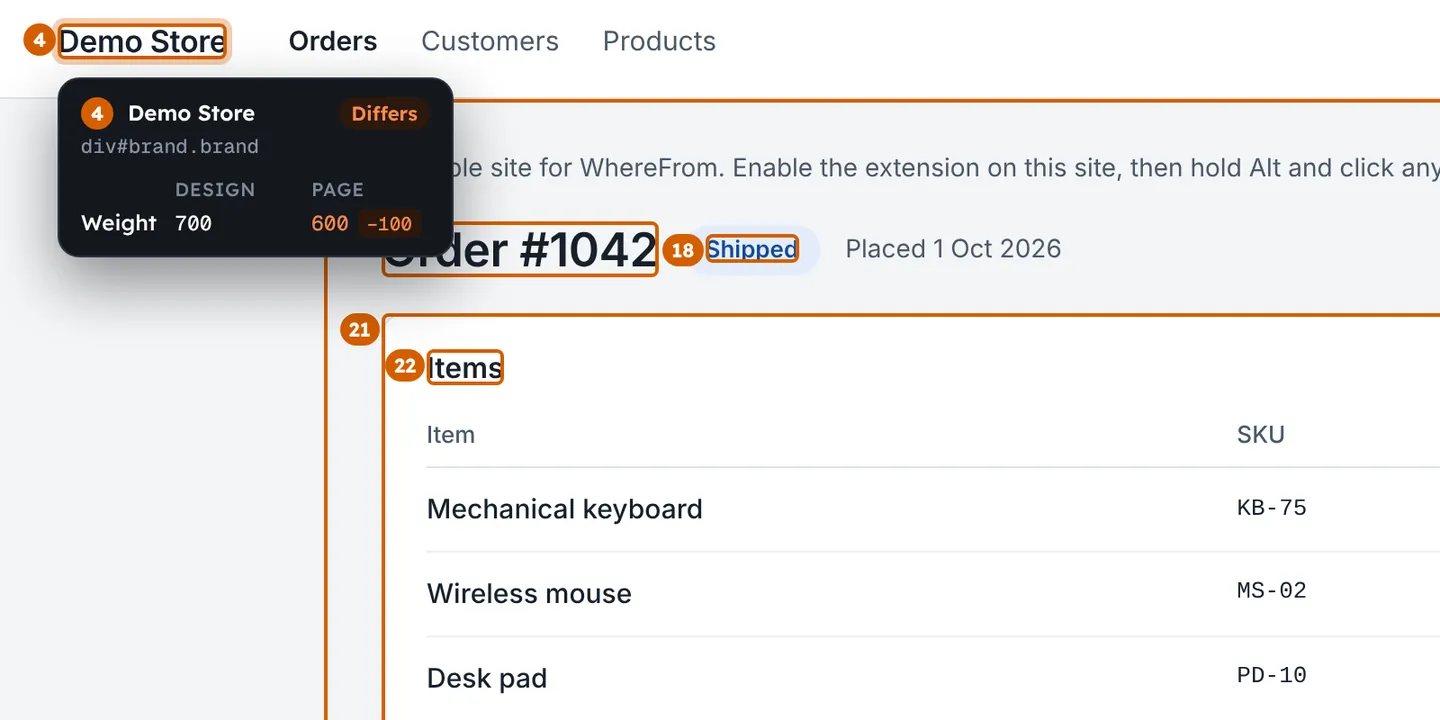
Point at any element of the page and see its design values next to the page’s, with what differs and by how much. Click it to open the design’s CSS.

A heading with its design values and page values side by side.

Screenshot reports for tickets

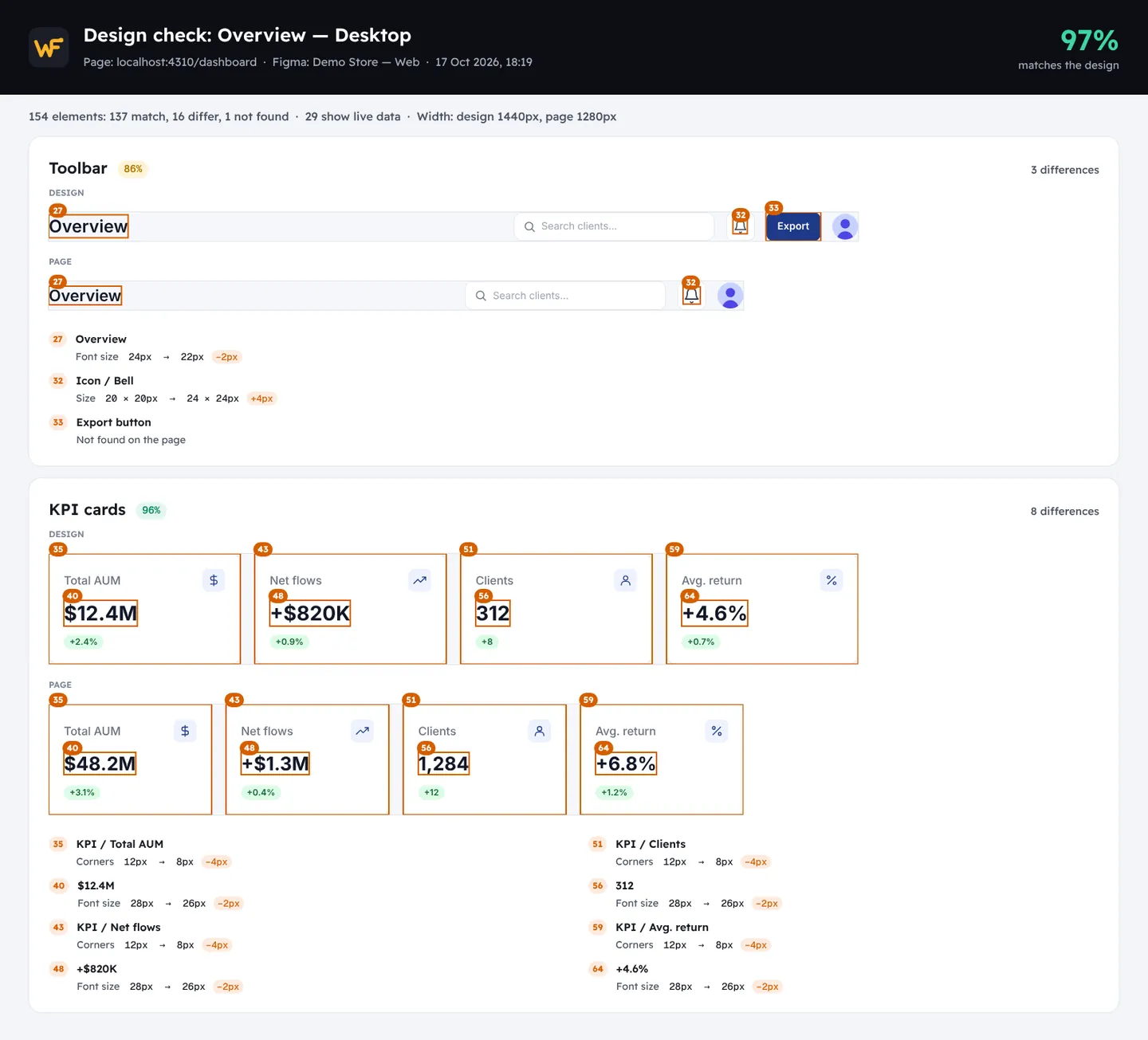
One picture with each part of the design next to the same part of the page, every difference numbered on both, and the list underneath. Attach it and the ticket explains itself.

A report picture: parts of the design above the same parts of the page, with numbered differences.

The CSS, written for you

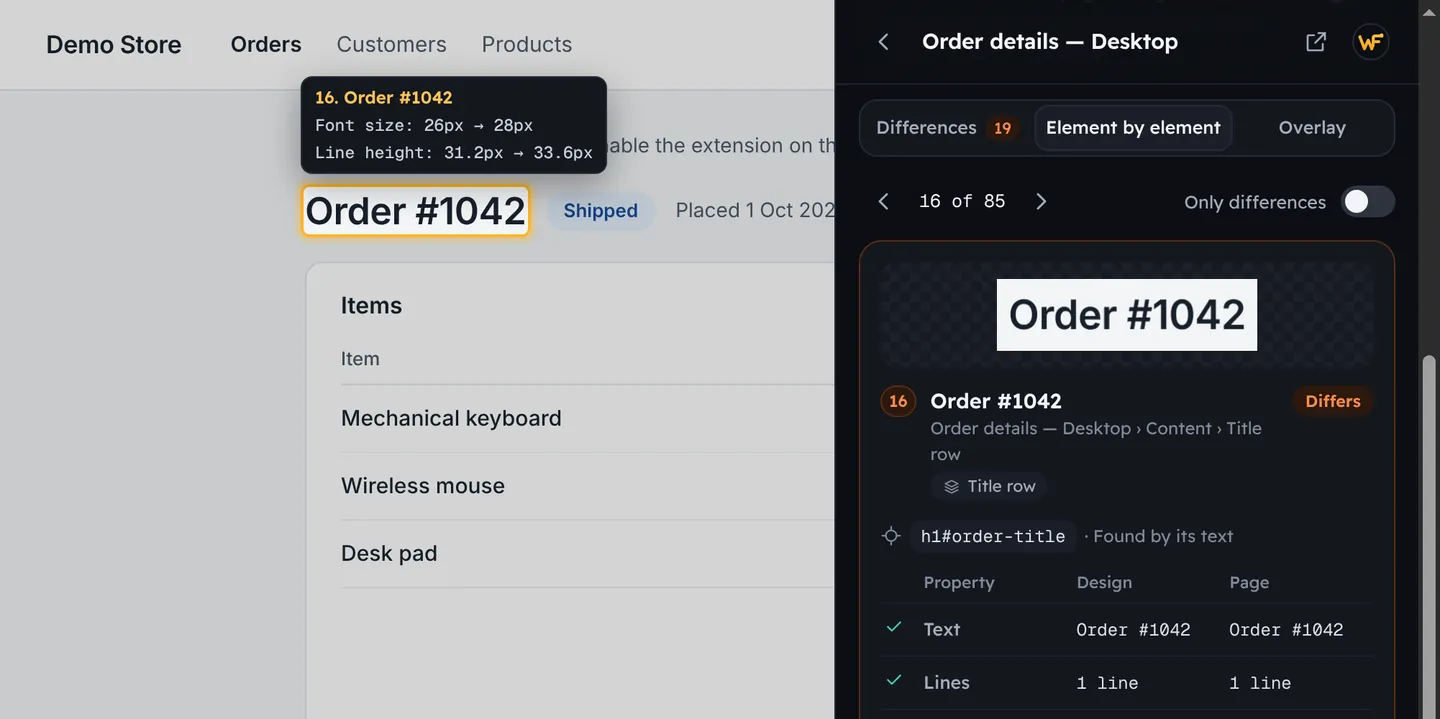
Inspect the design’s CSS layer by layer, as in Figma’s Dev Mode, without opening Figma. For an element that differs, Copy CSS fix gives you the lines that make it match.

An element that differs, with its font size and line height in the design and on the page.

Re-check when the page changes

The check runs again by itself while you edit the page, so the score moves as you fix.

All your saved checks

Every page you checked stays one click away, with its last score.

Before you pay

Your pages stay with you

WhereFrom reads pages inside your browser. Nothing from them is ever sent, to us or anyone.

14 days to change your mind

Ask within 14 days of a payment and you get all of it back.

Cancel in two clicks

From WhereFrom Pro in the extension. Pro works until the end of what you paid for.

Invoices for your company

Add your company’s name and tax number at checkout. Paddle handles the payment and the tax.

Questions

What stays free?

Tracing values to their API responses, search, page colors, screenshots, videos and bug reports, and the design check itself: the score, the list of differences, the marks on the page and the overlay.

How do the 14 free days work?

They start the first time you use a Pro feature. No card, no account. When they end, Pro features show what they do and where to get them; nothing else changes.

How do I turn Pro on after paying?

This page shows your key. If WhereFrom is installed in this Chrome, press Activate in WhereFrom. On another computer, open WhereFrom, choose WhereFrom Pro, and paste the key.

How many computers can I use?

Three. To move Pro to a new one, sign the old one out from WhereFrom Pro, or sign the others out when you activate.

How do I cancel?

Open WhereFrom Pro in the extension and choose Manage subscription, or use the link in Paddle’s email. Pro works until the end of the period you paid for.

Can I get a refund?

Yes, in full, within 14 days of any payment. Reply to Paddle’s receipt email, or write to us.

Who handles the payment?

Paddle, which sells WhereFrom Pro for us as the merchant of record. It takes the payment, adds the right tax, and sends the receipt. We never see your card.

Why is the price lower in my country?

Prices are lower where $8 a month is a lot, so Pro costs about the same share of a salary everywhere.

Is there a student price?

Yes: half off a year. Write to us from your university email, or with proof that you study.

What does lifetime include?

Pro for as long as WhereFrom exists, with every update, on 3 computers. You pay once.

Lost your key?

Enter the email you paid with, and we send your keys to it.